
News
Gigabyte GO27Q24A: a 240 Hz QD-OLED for around $330, with one catch
Aktualisiert
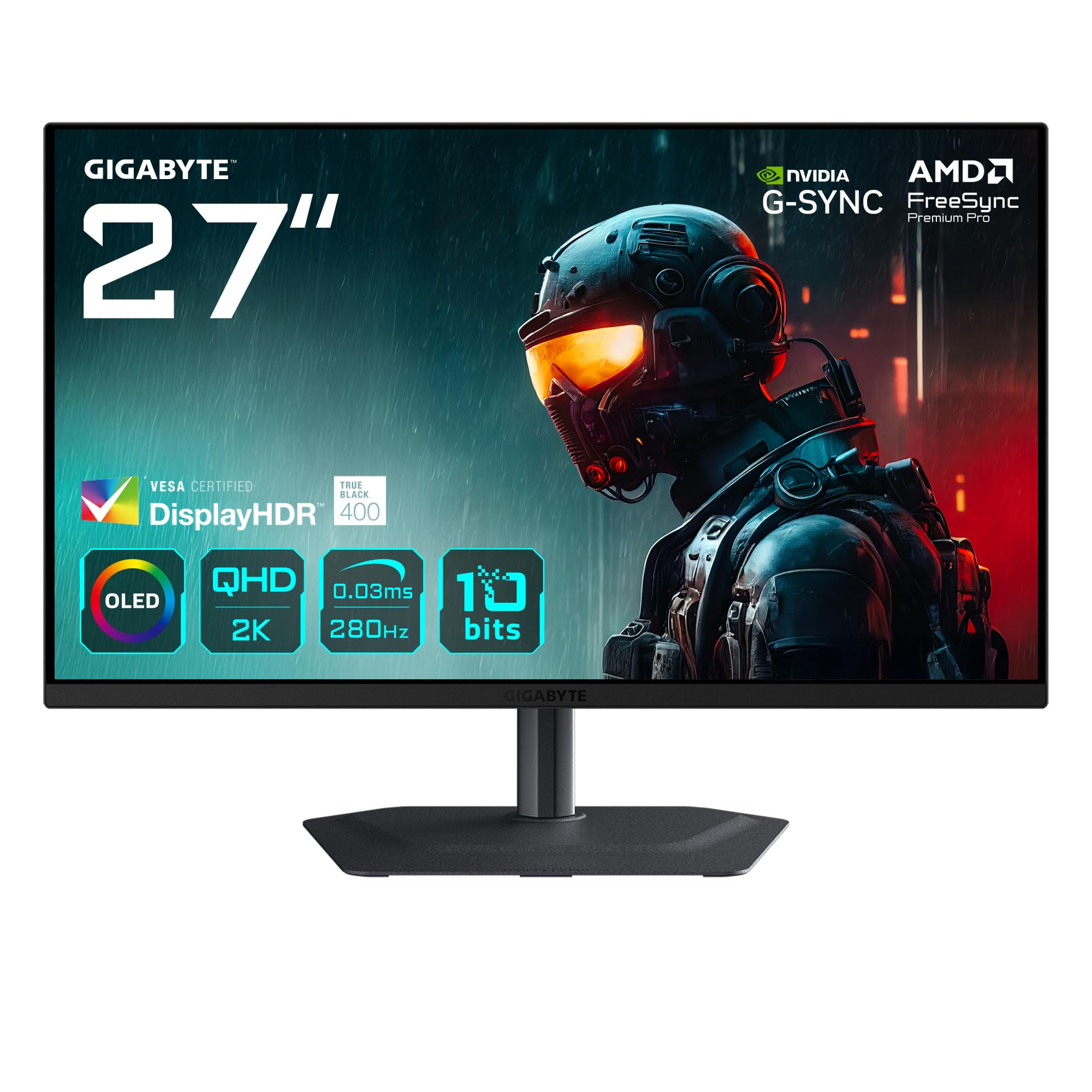
A 1440p 240 Hz OLED below $350
Monitors Unboxed describes the Gigabyte GO27Q24A as one of the cheapest OLED monitors on the market. It uses a 27-inch 2560x1440 240 Hz QD-OLED panel from Samsung Display, and the reviewer puts its typical price at between $300 and $350 US.
The key point to understand first is that this panel belongs to Samsung Display's QD-OLED Edge series. According to the review, that series lowers brightness compared with standard QD-OLED panels in order to bring the technology to cheaper price points. The reviewer stresses that this is not a one-off for Gigabyte: the same panel has appeared in other vendors' products, including MSI, ASUS, Acer and ASRock, and was used in the Dell Alienware AW2726DM.
How much light it gives up
This is the main compromise. In the review's measurements, the GO27Q24A reaches 204 nits of SDR brightness, 18% lower than standard 1440p QD-OLED monitors. The reviewer notes it is also lower than IPS LCDs, citing the Gigabyte M27Q3 at over 400 nits, a product he says is actually cheaper.
The gap widens in HDR. Peak brightness is limited to 434 nits, less than half of what a standard QD-OLED offering the full brightness capabilities of the technology provides. Across eight test scenes the monitor averages 303 nits, 35% lower than a standard QD-OLED such as the MO27Q2 in its peak configuration, and no individual test exceeds 400 nits. The reviewer says the Edge panel is probably not suitable in very bright rooms or where high brightness is really needed, though he personally finds 200 nits sufficient in moderate indoor rooms and fine in darker environments.
Where the OLED panel delivers
The reviewer argues that the real reason to be interested in this product is that OLED is the best display technology for SDR gaming. He points to effectively infinite contrast, zero-level blacks and fast response times as benefits across all types of gaming, and says that at around $350 a 1440p 240 Hz buyer now gets a QD-OLED that is much clearer at the same refresh rate than the IPS LCD they would previously have bought.
On HDR, he describes the mode as quite well-calibrated, with excellent EOTF tracking, no black crush and slightly elevated blacks in the low part of the range. Against LCDs without local dimming, he says the OLED is far superior in black levels and contrast. The included sRGB mode is singled out as excellent: the Dell AW2726DM has no sRGB mode at all, according to the review, and the Gigabyte's mode has a very low grayscale Delta E average and accurate colours.
Text fringing and the glossy coating
The Edge panel uses the same technology as the first generation of 1440p QD-OLEDs, including the standard triangle RGB subpixel layout. The reviewer says this can produce pink-green fringing around text compared with LCDs or monitors using an RGB stripe, and that text quality is generally not as good as a similar LCD, with how noticeable it is depending on sensitivity to text artefacts. In games and video, he says the subpixel layout has no impact on image quality.
The screen coating is the standard glossy QD-OLED type. Its strength, per the review, is that it has no coating grain, so clarity is very good and fine details stay crisp.
Ports, stand and build
The reviewer calls the setup rather basic but in line with other monitors using the same panel, and in some respects better than average: several models he has tested include only HDMI 2.0, which limits those ports to 144 Hz. The on-screen menu is controlled through a directional toggle and carries Gigabyte's standard feature set, including OLED anti-flicker mode, black frame insertion, crosshairs and flash dimming. He notes that nothing is artificially limited in features, with the limitations instead on the panel side.
The stand offers height, tilt, swivel and pivot adjustment, which he says you do not always get on competing products: the AOC model in his round-up had a fixed-height stand. Build quality is described as good, not quite as good as Gigabyte's usual M-series products but better than average in this price class, with some surfaces in basic black plastic that he considers fine at this price.
When it makes sense to buy
The reviewer calls the GO27Q24A the best budget QD-OLED he has tested so far, beating the other competitors in his recent round-up, and says that at $330 US it is an excellent deal, having gone on sale to as low as $300 in the past. He recommends it for anyone wanting the best option below $350 US and OLED at the lowest possible price.
The calculation changes when the gap to a full-brightness QD-OLED narrows. He cites the Gigabyte MO27Q2A, a 280 Hz monitor with a standard QD-OLED retailing at $400 US, making the 240 Hz model $70 cheaper, which he considers a fair and acceptable gap. If a full-brightness QD-OLED cost less than $50 more, he says that is probably what he would choose, because those panels are better. He also notes that the AOC model is often much cheaper, more in the $200 US range, but that the Gigabyte is better if you want to prioritise anything else.
Related coverage
Source: Monitors Unboxed's video
- youtube.comVideo · ab BeginnÖffnet die Quelle in einem neuen Tab
- youtube.comVideo · ab 2:02Öffnet die Quelle in einem neuen Tab
- youtube.comVideo · ab 5:46Öffnet die Quelle in einem neuen Tab
- youtube.comVideo · ab 9:20Öffnet die Quelle in einem neuen Tab
- youtube.comVideo · ab 12:48Öffnet die Quelle in einem neuen Tab
- youtube.comVideo · ab 16:24Öffnet die Quelle in einem neuen Tab
Gigabyte MO27Q2A · Auf Amazon ansehen
Angebote auf eBay
Werbung: Affiliate-Links: Wir erhalten möglicherweise eine Provision für qualifizierte Käufe.
Gigabyte MO27Q2A
Ergebnisse auf der eBay-Seite deines Landes: Preise und Verfügbarkeit stehen dort
Auf eBay suchenWas sich geändert hat
- Seite aktualisiert

Post von Sir Compare
Neues zu Monitore? Ich schreibe Ihnen.
Wählen Sie Ihre Themen: Ich schreibe nur, wenn etwas Neues erscheint — ein Ratgeber, eine Nachricht, ein geprüfter Preis, der sinkt.
Schritt 1 von 2
Was interessiert Sie?
Wählen Sie beliebig viele. Ohne Auswahl erhalten Sie das Neue aus allen Bereichen.
- Nur, was Sie wählen
- Nie eine leere E-Mail
- Abmelden mit einem Klick